G3 Gimbal-Tips for HDMI Output !!!
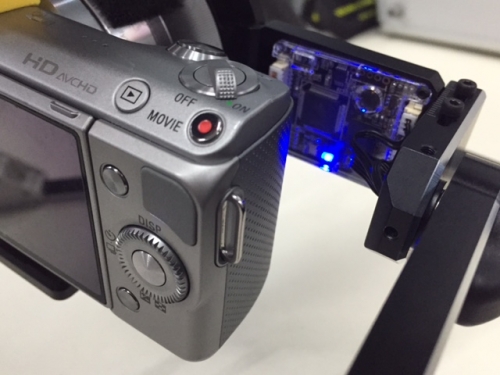
When the camera is connected to the HDMI cable and powered on, the blue LED will light up to indicate power up.
Scenario #1:
However, if the blue LED lights up and then goes off, this indicates a failed power up due to insufficient power from camera.
To resolve this issue, solder a jumper cable across the two point as shown.
Scenario #2:
After soldering the jumper cable, the HDMI board that wasn’t able to power up can now power up with a steady lit blue LED. After HDMI board is powered up properly, it will be able to convert HDMI signal to AV output.
Note!
If the HDMI board is powered up properly but there are no AV output:
1. Please check the camera setting for proper HDMI output.
2. Check your camera HDMI output setting.
3. Check if your camera supports live output on HDMI port.


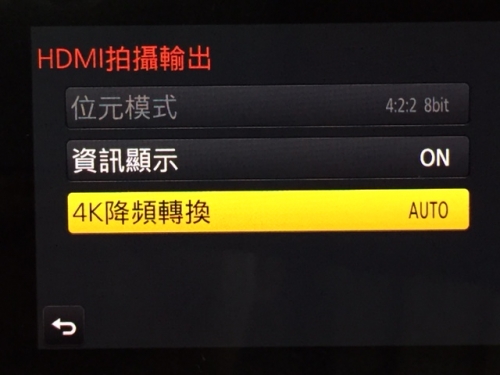
As an example, the GH4 camera HDMI output setting needs to be set to auto or 1080p.
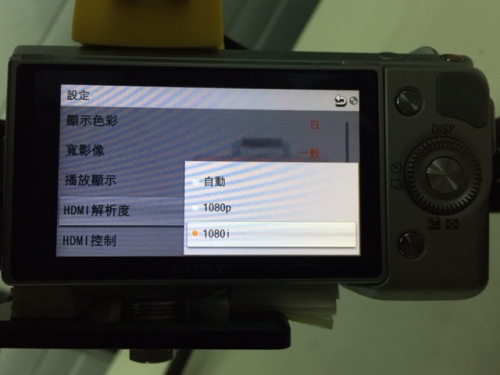
Take the SONY NEX-5N as an example, HDMI output setting needs to be set to 1080i.